
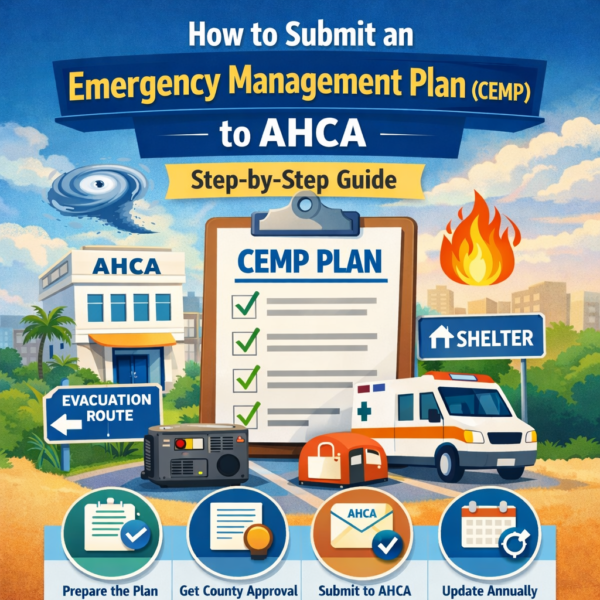
How to Submit an Emergency Management Plan (CEMP) to AHCA – Step-by-Step Guide
Submitting your Comprehensive Emergency Management Plan (CEMP) to the Agency for Health Care Administration is a critical requirement for assisted living facilities in Florida. A properly prepared and submitted plan ensures your facility is ready to protect residents during emergencies such as hurricanes, fires, or power outages.
If you’re unsure where to start or want to avoid delays and rejections, this step-by-step guide will walk you through the entire process.
What is a CEMP and Why It Matters
A Comprehensive Emergency Management Plan (CEMP) outlines how your facility will respond to disasters. It includes evacuation procedures, sheltering plans, communication protocols, and resident safety measures.
AHCA requires every licensed assisted living facility to:
- Submit a CEMP for approval
- Update it annually
- Follow county-specific emergency guidelines
Failure to comply can lead to penalties, delays in licensing, or even suspension.
Step 1: Understand Your County Requirements
Before creating or submitting your plan, check with your local county emergency management office. Each county in Florida may have slightly different requirements.
Your CEMP must align with:
- Local emergency management rules
- Evacuation zones
- Shelter arrangements
Pro Tip: Always use your county’s official checklist if available.
Step 2: Prepare Your CEMP Document
Your plan should be detailed, clear, and facility-specific. Avoid copying generic templates without customization.
A strong CEMP typically includes:
- Risk assessment (hurricanes, floods, etc.)
- Evacuation procedures and routes
- Transportation arrangements
- Shelter-in-place strategies
- Backup power plans
- Staff responsibilities
- Communication plan with families and authorities
Make sure your plan reflects your actual building layout, staffing, and resident needs.
Step 3: Gather Required Supporting Documents
Most counties require additional documents along with your CEMP submission, such as:
- Floor plans
- Fire safety systems details
- Generator or backup power information
- Transportation agreements
- Mutual aid agreements (if applicable)
Missing documents are one of the top reasons for rejection.
Step 4: Submit Your Plan to the County
You do not submit directly to AHCA first. Instead:
- Submit your completed CEMP to your local county emergency management office
- The county will review your plan
- They may request revisions or clarifications
Submission methods may include:
- Online portals
- Email submission
- In-person delivery
Step 5: Address Revisions Quickly
It’s common for counties to request updates. Don’t panic—this is part of the process.
Common revision requests include:
- Missing evacuation details
- Incomplete transportation plans
- Lack of specific staff roles
Respond promptly and clearly to avoid delays.
Step 6: Obtain County Approval
Once your plan meets all requirements, the county will issue an approval letter or stamp.
This approval confirms that your plan is compliant with local emergency standards.
Step 7: Submit Approval to AHCA
After receiving county approval:
- Submit the approved CEMP (with proof of approval) to the Agency for Health Care Administration
- Include it with your licensing application or renewal
AHCA uses this to verify compliance with state regulations.
Step 8: Maintain and Update Annually
CEMP is not a one-time task. You must:
- Review and update your plan every year
- Resubmit if there are major changes (ownership, building, capacity, etc.)
- Keep staff trained on emergency procedures
Common Mistakes to Avoid
Avoid these frequent errors:
- Submitting generic, copy-paste plans
- Ignoring county-specific requirements
- Missing supporting documents
- Delayed responses to revision requests
- Not updating the plan annually
Submitting your CEMP doesn’t have to be overwhelming if you follow a structured approach. The key is preparation, accuracy, and timely communication with your county officials.
A well-prepared plan not only ensures compliance with the Agency for Health Care Administration but also protects what matters most—your residents and staff during emergencies.